When we are redistributing from one protocol into another, we find that with one point of redistribution everything is fine, but when we have multiple points of redistribution we can start to encounter problems, namely routing loops and route feedback. Thankfully these can be fixed with a few commands.


Routing loops

In the diagram above we are redistributing RIP into OSPF, and from OSPF into RIP. Ignore the mis-labelled interface for Router C (the interface in the RIP network is actually e0/1), I made a mistake in my original netmap. I wondered why things didn't work properly. Originally I did this in Packet Tracer, only to find a serious limitation was the lack of distribute-lists and limitations on the distance command.
If you want to follow this post through, then you can download the IOU lab from here.
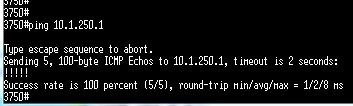
First we begin with very straight-forward ospf and rip networks. Picking RouterA and RouterF, we quickly check that the basics are all plumbed in:

OSPF looks good, so lets just check rip

OK, all looks good.
The routing tables on routers C and D look like this

Lets have a quick look at the routing tables of routers A and F

Making a routing loop
To create the routing loop we need to mutually redistribute OSPF and RIP on routers C and D. The commands are identical for both.

And we can see (using the "sh ip route" command) the contents of the routing table:

Now we can start to see the problem.
Router C which has an interface in the RIP network, has a route to the 10.1.X.0 through router A (apart from its own directly connected 10.1.1.0/24 network) - which is kind of in the wrong direction. Similarly Router D has routes all of the 10.1.X networks (apart from its own directly connected 10.1.5.0/24 network) through Router B. Again really this is in the wrong direction.
The reason for this because the AD (Administrative Distance) of OSPF (110) is lower than the AD for RIP (120), and therefore is the prefered route. The AD can be seen as the first number in the square brackets [110/1] and [120/1]. Therefore to reach the non-connected networks, Routers C and D will prefer the sub-optimal path through OSPF.
The end effect is that if Router C sends a a packet destined for the 10.1.5.0/24 network it will go to Router A first (192.168.1.1). This is Router A's routing table:

Router A will pass the packet to Router B, and from B it passes to Router D. This does not present its-self as much of an issue, but look at the routes for the 10.1.4/0/24 network.
A packet to the 10.1.4.0/24 network originating from Router C would pass to Router A. From Router A it would pass to Router B, and from B to D. Now here we see the loop:

The routing table for Router B is on the left and for Router D is on the right. As you can see Router B prefers Router D as the best route to the 10.1.4.0 network, and Router D prefers Router B as the best route. Thus we have a loop.
Fixing a routing loop
Thankfully all is not lost (well, maybe a few packets along the way), and we have two ways of fixing this scenario.
Fixing a routing loop with a distribution-list
The first method is to use a distribution-list and attach it to the interface we want to prevent accepting routes from the wrong side. The configuration on Router C would be as follows:
RouterC(config)# access-list 10 deny 10.1.2.0 0.0.0.255
RouterC(config)# access-list 10 deny 10.1.3.0 0.0.0.255
RouterC(config)# access-list 10 deny 10.1.4.0 0.0.0.255
RouterC(config)# access-list 10 deny 10.1.5.0 0.0.0.255
RouterC(config)# access-list 10 permit any
RouterC(config)# router opsf 1
RouterC(config-router)# distribute-list 10 in ethernet0/0
And Router D would look similar:
RouterC(config)# access-list 10 deny 10.1.1.0 0.0.0.255
RouterC(config)# access-list 10 deny 10.1.2.0 0.0.0.255
RouterC(config)# access-list 10 deny 10.1.3.0 0.0.0.255
RouterC(config)# access-list 10 deny 10.1.4.0 0.0.0.255
RouterC(config)# access-list 10 permit any
RouterC(config)# router opsf 1
RouterC(config-router)# distribute-list 10 in ethernet0/0
These access-lists deny the RIP networks specified, whilst permitting all the other networks. We can see this taking effect immediately in the routing table:

The downside of this method is that any form of redundancy is also lost. If Router C lost its e0/1 interface it would not be able to select an alternative path (i.e. through the RIP network) for the other OSPF networks.

Fixing a routing loop with the distance command
The second method we have available is to tweak the AD for the specific routes. it is very similar to the first method, but with a few changes, we can either lower the AD of the routes learned through RIP, or raise the AD of the external OSPF learned routes. Again we start with an access list:
RouterC(config)# access-list 10 permit 10.1.2.0 0.0.0.255
RouterC(config)# access-list 10 permit 10.1.3.0 0.0.0.255
RouterC(config)# access-list 10 permit 10.1.4.0 0.0.0.255
RouterC(config)# access-list 10 permit 10.1.5.0 0.0.0.255
RouterC(config)# access-list 10 deny any
RouterC(config)# router rip
RouterC(config-router)# distance 70 10.1.1.0 0.0.0.255 10
Here we are applying a an AD of 70 for the routes specified in access list 10. Again Router D's config would be similar, but I think you can see what needs changing, so I wont put the config here.
The end result is that the routes originating from RIP will now have a lower AD than the routes that have been redistributed from OSPF. This eliminates the routing loop.

If we decided that we wanted to use the second method and raise the AD for the external OSPF learned routes then we can do this with one line, and do not need the access list:
RouterC(config)# router ospf 1
RouterC(config-router)# distance ospf external 240
Router C and Router D then replaced the externally learned routes with the routers learned by its own RIP process:


Router D is probably the best example of the process, as the screenshot managed to catch the transition in routes, firstly as their AD is increased to 240, and then, moments later, as these routes are replaced by the ones originating from within RIP.
So that's routing loops taken care of, now lets move on.
Route feedback
The OSPF routes that have been redistributed into RIP by Router C will also reach Router D, and will again be redistributed back into OSPF. hence the term "feedback".
The feedback could very well cause Router B to prefer the route through RouterD for the 192.168.2.0/24 network. This is called suboptimal routing.
clearly we want to make sure that no re-injection occurs. We can do this through distribution lists and by using the distance command, but lets look at route tags instead.
We can tag routes in order to identify and filter them. The tag is retained as it passes from router to router. So a tag that is applied when it is redistributed into RIP (say from Router C) retains its tag and can be used by another router (Router D) to be filtered out.
We use route-maps in order to apply tags, these are similar to access-lists by using permit or deny statements but also allow attributes to be matched and set.
Using RouterC are the example, the route maps would look like this (I have added line numbers for reference later on) :
1. RouterC(config)# route-map ospf->rip deny 5
2. RouterC(config-route-map)# match tag 33
3. RouterC(config)# route-map ospf->rip permit 15
4. RouterC(config-route-map)# set tag 44
5. RouterC(config-route-map)# exit
6. RouterC(config)# router rip
7. RouterC(config-router)# redistribute ospf 1 route-map ospf->rip
8. RouterC(config)# route-map rip->ospf deny 5
9. RouterC(config-route-map)# match tag 44
10. RouterC(config-route-map)# route-map rip->ospf permit 15
11. RouterC(config-route-map)# set tag 33
12. RouterC(config)# router ospf 1
13. RouterC(config-router)# redistribute rip route-map rip->ospf
So here any OSPF routes that are being redistributed into RIP have a tag of 44 set (line 4). When RIP is redistributed back into OSPF any tag that matches 44 is denied (lines 8 and 9).
When RIP routes are being redistributed into OSPF they have a tag of 33 set (line 11). These routes are denied (line 1) when being redistributed from OSPF back into RIP (line 2). The ordering of these statements is crucial.

We can see above the tag being added to the routes. Unfortunately I could not get and routes to feedback to show you this in action, sometimes its annoying when things work properly!
Nonetheless, the end result is that routes will not be redistributed back into the routing domain from where they originated.
I hope you have found this useful.