Showing posts with label IOU. Show all posts

GNS3 vs. IOU poll - who won?

I have been running a poll on the site to determine whether people would prefer the next volume (Multicast and QoS) to be designed for IOU or, like the previous three volumes, for GNS3.

At the start, IOU steamed ahead, but then GNS3 started to catch up.

The poll has now closed. We had 67 people take part. The end result?

IOU won by a large margin.


If it had won by any more, then the pie chart would look like Pacman.

So the book will be designed for...
UNetLab.

Here's why.

  1. On the basis that if people are using IOU, then they will have probably heard of UNetLab.
  2. If people have IOU images in IOU, they can be used in UNetLab.
  3. UNetLab offers support for more systems then IOU, therefore we can have a Linux VM and PROPERLY test multicast AND QoS.
The thing about Multicast (and QoS) that it is hard, in a closed environment such as IOU, or even when you are restricted to just using routers and switches, is that you have to take output as an indication of whether something is working or not. If you could actually see a multicast stream, i.e. a video file playing on VLC, then it's easier to see cause and effect.

UNetLab will allow for a nicer book, we'll be able to see video being multicasted, and also implement QoS restrictions on this as well, rather than just seeing an ICMP response. 

It'll be fun, as networking should be.


IOU file for MPLS for Cisco Networks now available

I had been meaning to finish this off for a while, but what with the studying and all, it kind of got put to the side. Anyway, I got sent an email, from a very friendly guy, asking if I could send the initial configs so that he could create the IOU files himself.

Instead I created the IOU file, including a clickable image map (again this is a real push towards going solely IOU for the next volumes). It looks much cleaner than the GNS3 version, and I can reuse the image that's in the book, so it keeps a much more consistent feel.

Obviously the interface names will be different (no GigabitEthernet in IOU), but you are a bunch of clever people, so I am sure you'll be fine!


So far the majority of people responding to the poll on the right hand side are in favour of IOU, but there is still quite a few days left, so who knows which way it will swing.
The IOU-web file for MPLS for Cisco Networks is available to download from the books section above.
Poll: Volume 4 - GNS3 or IOU?

Poll: Volume 4 - GNS3 or IOU?

So far GNS3 seems to have been working well for the first three volumes, but I feel like I should ask whether, for volume 4, a move to IOU (IOU-Web to be exact) would be preferred.

There are a couple of reasons that would make switching to IOU a good idea.

  • IOU is very popular with many studying for the CCIE
  • There would be a common platform - it would make life easier when moving between different OSes. 
  • It would also allow for a nicer experience with clickable pictures. 
  • I could use "proper" switches (though if you are running GNS3 with IOU integration, you can use IOU switch images as well). The new volume will use a couple of switches (as will version 5).
  • The IOS images used would be more recent (but again, see the point above about GNS3/IOU integration
  • IOU is closer to the actual exam environment, than GNS3 is. 

I have added a poll on the right-hand side, where you can vote for your preference.

Let me know your thoughts in the comments section below.

Cisco VIRL is out! It's not free!

Cisco VIRL

Cisco VIRL has been released today.

After waiting for what seems like ages, since it was first mentioned, it is finally here.

You can get it from http://virl.cisco.com.

The rumours were that is would be free, and would run up to fifteen (15) nodes, that could be either IOSV, IOS XRv, NX-OSv, or the CSR1000v.

While the capabilities remain the same, it is not free. It costs $199.99 PER YEAR.

This does seem to be a bit of a kick to the groin, really. Whilst this is the true, Cisco virtual environment, with all the support and abilities needed (obviously barring a few layer 2 technologies), $200 a year is a little costly.

For a limited time you can get $50 off using the code "VIRL50" at checkout. Which still makes it $150. It's not a bad price I suppose, but many people did expect this to be released without an associated cost.

I think I will stick with IOU and GNS3 for the moment!

What do people use the most for their CCIE studies?

I have been running a poll on the site for a while now, to get a feel for what people are using for the practical part of their CCIE studies. The results are in, and thank you to those who have taken part in the poll.

Here are the results in reverse order, and if you don't want to do the reading then skip to the end where there is a pie chart.

CCIE on VMWare

1% of respondents are using VMWare. VMWare is a great platform, but, historically, not ideally suited to the CCIE. This has started to change somewhat, as the CSR 1000v router works well on it, but, then there is the costs associated with using this platform, if you are running 10 routers then you are going to need 32GB of ram, running 20 you'll need 64GB ram, and this is all on the basis that you have a machine to hand that can run VMWare. Not a surprising result.

CCIE on Real Hardware

8% of you have either a very accommodating employer, or a lot of cash to drop. I did go down this route, and got all the hardware a couple of weeks before the V5 was announced and all my routers (barring the 18xx series) became pretty much obsolete. But there are a number of you lucky enough to have the full hardware based experience! Lucky you, really there is nothing like the real thing.

CCIE on IOU

25% of people are using IOU. IOU is great for many reasons, firstly the version level supported is much closer to the one used in the exam, it's free (yay!), and you can run a large topology inside a VM with very little memory overhead. The downside is that it is harder to get into, those without any Linux experience may be put off, and designing your own topologies does take some getting used to, It works great, but isn't for the faint-hearted.

Real switches + IOU or GNS3 or VMWare

25% have opted to use real switches and a virtualised environment. This setup does make the most sense, as all the virtualised environments have issues when it comes to layer 2 technologies. The switches can be bought (on eBay) for a few hundred (pounds), and as the routing functions work great in virtual environments it eliminates the chances of errors due to a layer 2 feature not being supported, or, if supported, not working as it should (I am looking at you HSRP!). There are some downsides to this setup, mainly the cost, portability and space concerns, but it does offer the best of both worlds.

CCIE on GNS3

36% of people are using GNS3. It has been around for years, and it making huge waves as it progresses from the 0.8 version that we have known and loved for ages to this all-encompassing vital tool, allowing you to run VirtualBox VMs, connect to IOU and to real hardware, if you don't want to do that then it runs 7200 series routers (which support IOS 15) very well. It is of no surprise then, that GNS3 is the tool of choice for the aspiring CCIE. The downsides of GNS3? Not many really, it does have a propensity to make your CPU run hot, but playing around with idle PC values can mitigate that, and you are limited by the amount of memory you have if you are running native GNS3 routers.

Final thoughts

The lines in this poll are slightly blurred though as some may be using real hardware and GNS3, or real hardware and IOU, for instance, which really does push their numbers up, but it does give a good indication as to what people are using.

Whatever platform you choose, I wish you all the very best in your studies.


BGP for Cisco Networks for IOU!

Hot on the heels of releasing the topology for BGP for Cisco Networks for GNS3 1.0 Beta comes the topology for IOU-WEB.

Firstly I must say that I did not create this, not that this is any form of get-out-clause, but because all the thanks go to a great guy, who has done a GREAT job on it, it really does look fantastic!

I mean check this out, how good does this look?


That's one lovely diagram there.  I wish my Visio diagrams looked that good!

Along with the IOU topology is a Visio drawing of the topology.
I have updated the downloads section for the book with the links to the files. Now it's just waiting for ViRL to be released and we have every platform covered!

I am very thankful to the guy who has done this, and he's offered to do the IOU typologies for the MPLS volume as well. If they look anything like the ones that he's done for the BGP book then they will be great as well!

Either way I will be sending him a free copy of the MPLS book when it's published. I have just completed a couple of chapters this week, and this weekend should finish another, then it's just one last chapter to do, which is all planned out, then ready for proofing and publishing!

IOU - Image is everything


Finding the right image for IOU can be a tricky thing to do, depending on what you are looking for. Things may look correct, but when you dig deeper down into it, you might not get the results you are looking for.

This all came about when discussing HSRP and IOU limitations with Maureen on a post about HSRP and ASICs.

IOU Images for Switches and for Routers

IOU images come in two flavors. We have Layer 2 images for switches, and we have router images. Calling the Layer 2 switch images is a bit of a misnomer, because they can actually perform layer 3 functionality (such as having a layer 3 vlan interface), so don't worry too much about it being called layer 2 (or l2 in the filename). Don't ask me to supply the images though, that's your homework...

IOU Switch images

IOU Switch images are usually named i86bi_linux_l2-<image>-<date> such as:
  • i86bi_linux_l2-ipbasek9-ms.jan24-2013-B
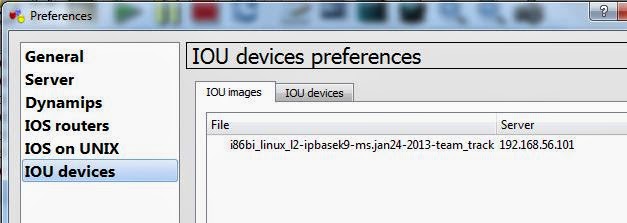
  • i86bi_linux_l2-ipbasek9-ms.jan24-2013-team_track
  • i86bi_linux_l2-ipbasek9-ms.may8-2-13-team_track
  • i86bi_linux_l2-upk9-ms.june20_2012_golden_spike
  • i86bi_linux_l2-adventerprise-ms.nov11-2013-team_track
Most of these are using the ipbasek9 image. But there are others out there.

IOU Router images

Router images follow pretty much the same naming format:
  • i86bi_linux-adventerprisek9-ms.152-2.15.T
  • i86bi_linux-adventerprisek9-ms.152-4.M1
  • i86bi_linux-jk9s-ms.150-1.XJR111.358_120107
  • i86bi_linux-p-ms.june20_2012_golden_spike
Needless to say that a router image is not the same as a switch image.

Not all IOU images are equal

So what's the point of this anyway?

Take the following topology:


We have three switches and one host. The top two switches are set up with HSRP running for vlan 10, with trunk ports between them and the third switch, that just has vlan 10 configured. The VPCS host is on an access port that's in vlan 10. The configuration is as follows:
SW1#sh run int e0/0
Building configuration...

Current configuration : 103 bytes
!
interface Ethernet0/0
 switchport trunk encapsulation dot1q
 switchport mode trunk
 duplex auto
end

SW1#sh run int e0/1
Building configuration...

Current configuration : 103 bytes
!
interface Ethernet0/1
 switchport trunk encapsulation dot1q
 switchport mode trunk
 duplex auto
end

SW1#sh run int vlan 10
Building configuration...

Current configuration : 147 bytes
!
interface Vlan10
 ip address 10.10.1.2 255.255.255.0
 standby 10 ip 10.10.1.1
 standby 10 priority 150
 standby 10 preempt delay minimum 60
end

SW1#

SW2#sh run int e0/0
Building configuration...

Current configuration : 103 bytes
!
interface Ethernet0/0
 switchport trunk encapsulation dot1q
 switchport mode trunk
 duplex auto
end

SW2#sh run int e0/1
Building configuration...

Current configuration : 103 bytes
!
interface Ethernet0/1
 switchport trunk encapsulation dot1q
 switchport mode trunk
 duplex auto
end

SW2#sh run int vlan 10
Building configuration...

Current configuration : 109 bytes
!
interface Vlan10
 ip address 10.10.1.3 255.255.255.0
 standby 10 ip 10.10.1.1
 standby 10 priority 90
end

SW2#

SW3#sh run int e0/0
Building configuration...

Current configuration : 103 bytes
!
interface Ethernet0/0
 switchport trunk encapsulation dot1q
 switchport mode trunk
 duplex auto
end

SW3#sh run int e0/1
Building configuration...

Current configuration : 103 bytes
!
interface Ethernet0/1
 switchport trunk encapsulation dot1q
 switchport mode trunk
 duplex auto
end

SW3#sh run int e0/3
Building configuration...

Current configuration : 93 bytes
!
interface Ethernet0/3
 switchport access vlan 10
 switchport mode access
 duplex auto
end

SW3#
Nothing too hard here, but the image makes all the difference.
SW1#sh ver
Cisco IOS Software, Solaris Software (I86BI_LINUXL2-ADVENTERPRISE-M), Experimental Version 15.1(20131216:211730) [mmen 106]
Copyright (c) 1986-2013 by Cisco Systems, Inc.
Compiled Mon 16-Dec-13 13:50 by mmen

ROM: Bootstrap program is Linux

SW1 uptime is 1 hour, 5 minutes
System returned to ROM by reload at 0
System image file is "unix:/home/gns3/Documents/GNS3/images/i86bi_linux_l2-adventerprise-ms"
With this image we don't get any working HSRP. Both the top two switches think that they are the active switch:
SW1#sh standby vlan 10
Vlan10 - Group 10
  State is Active
    2 state changes, last state change 01:02:08
  Virtual IP address is 10.10.1.1
  Active virtual MAC address is 0000.0c07.ac0a (MAC In Use)
    Local virtual MAC address is 0000.0c07.ac0a (v1 default)
  Hello time 3 sec, hold time 10 sec
    Next hello sent in 1.904 secs
  Preemption enabled, delay min 60 secs
  Active router is local
  Standby router is unknown
  Priority 150 (configured 150)
  Group name is "hsrp-Vl10-10" (default)
SW1#

SW2#sh standby vlan 10
Vlan10 - Group 10
  State is Active
    2 state changes, last state change 01:03:07
  Virtual IP address is 10.10.1.1
  Active virtual MAC address is 0000.0c07.ac0a (MAC In Use)
    Local virtual MAC address is 0000.0c07.ac0a (v1 default)
  Hello time 3 sec, hold time 10 sec
    Next hello sent in 2.032 secs
  Preemption disabled
  Active router is local
  Standby router is unknown
  Priority 90 (configured 90)
  Group name is "hsrp-Vl10-10" (default)
SW2#
Debugging HSRP shows that the two are not talking to each other, even though CDP and ARP look fine:
SW1#sh cdp neigh
Capability Codes: R - Router, T - Trans Bridge, B - Source Route Bridge
                  S - Switch, H - Host, I - IGMP, r - Repeater, P - Phone,
                  D - Remote, C - CVTA, M - Two-port Mac Relay

Device ID        Local Intrfce     Holdtme    Capability  Platform  Port ID
SW2              Eth 0/0           162             R S I  Linux Uni Eth 0/0
SW3              Eth 0/1           122             R S I  Linux Uni Eth 0/0
SW1#sh arp
Protocol  Address          Age (min)  Hardware Addr   Type   Interface
Internet  10.10.1.1               -   0000.0c07.ac0a  ARPA   Vlan10
Internet  10.10.1.2               -   aabb.cc80.0100  ARPA   Vlan10
SW1#debug standby
HSRP debugging is on
SW1#
*May 23 07:39:26.362: HSRP: Vl10 Grp 10 Hello  out 10.10.1.2 Active  pri 150 vIP 10.10.1.1
SW1#
*May 23 07:39:29.211: HSRP: Vl10 Grp 10 Hello  out 10.10.1.2 Active  pri 150 vIP 10.10.1.1
SW1#
*May 23 07:39:31.624: HSRP: Vl10 Grp 10 Hello  out 10.10.1.2 Active  pri 150 vIP 10.10.1.1
SW1#
*May 23 07:39:34.614: HSRP: Vl10 Grp 10 Hello  out 10.10.1.2 Active  pri 150 vIP 10.10.1.1
SW1#
*May 23 07:39:37.568: HSRP: Vl10 Grp 10 Hello  out 10.10.1.2 Active  pri 150 vIP 10.10.1.1
SW1#
*May 23 07:39:40.328: HSRP: Vl10 Grp 10 Hello  out 10.10.1.2 Active  pri 150 vIP 10.10.1.1
SW1#
*May 23 07:39:43.090: HSRP: Vl10 Grp 10 Hello  out 10.10.1.2 Active  pri 150 vIP 10.10.1.1
SW1#
No HSRP traffic gets returned. If we switch images we do get a bit further:
SW1#sh ver
Cisco IOS Software, Solaris Software (I86BI_LINUXL2-IPBASEK9-M), Experimental Version 15.1(20130124:233217) [dstivers-jan24-2013-team_track 101]
Copyright (c) 1986-2013 by Cisco Systems, Inc.
Compiled Thu 24-Jan-13 16:17 by dstivers

ROM: Bootstrap program is Linux

SW2 uptime is 7 minutes
System returned to ROM by reload at 0
System image file is "unix:/home/gns3/Documents/GNS3/images/i86bi_linux_l2-ipbasek9-ms.jan2"

SW1#sh standby vlan 10
Vlan10 - Group 10
  State is Active
    2 state changes, last state change 00:01:36
  Virtual IP address is 10.10.1.1
  Active virtual MAC address is 0000.0c07.ac0a (MAC In Use)
    Local virtual MAC address is 0000.0c07.ac0a (v1 default)
  Hello time 3 sec, hold time 10 sec
    Next hello sent in 0.160 secs
  Preemption enabled, delay min 60 secs
  Active router is local
  Standby router is 10.10.1.3, priority 90 (expires in 10.592 sec)
  Priority 150 (configured 150)
  Group name is "hsrp-Vl10-10" (default)
SW1#

SW2#sh standby vlan 10
Vlan10 - Group 10
  State is Standby
    1 state change, last state change 00:01:21
  Virtual IP address is 10.10.1.1
  Active virtual MAC address is 0000.0c07.ac0a (MAC Not In Use)
    Local virtual MAC address is 0000.0c07.ac0a (v1 default)
  Hello time 3 sec, hold time 10 sec
    Next hello sent in 2.256 secs
  Preemption disabled
  Active router is 10.10.1.2, priority 150 (expires in 10.256 sec)
  Standby router is local
  Priority 90 (configured 90)
  Group name is "hsrp-Vl10-10" (default)
SW2#
So HSRP looks good from the viewpoint of the switches. However, not all is well from the VPCS guest:
VPCS2> ip 10.10.1.254 /24
Checking for duplicate address...
PC1 : 10.10.1.254 255.255.255.0

VPCS2> sh arp

arp table is empty

VPCS2> ping 10.10.1.2
10.10.1.2 icmp_seq=1 ttl=255 time=1.500 ms
10.10.1.2 icmp_seq=2 ttl=255 time=5.000 ms

VPCS2> ping 10.10.1.3
10.10.1.3 icmp_seq=1 ttl=255 time=3.500 ms
10.10.1.3 icmp_seq=2 ttl=255 time=4.000 ms

VPCS2> ping 10.10.1.1
10.10.1.1 icmp_seq=1 timeout
10.10.1.1 icmp_seq=2 timeout

VPCS2> sh arp

aa:bb:cc:80:04:00  10.10.1.2 expires in 65 seconds
aa:bb:cc:80:05:00  10.10.1.3 expires in 68 seconds
00:00:0c:07:ac:0a  10.10.1.1 expires in 70 seconds

VPCS2>
It can see that there is the HSRP VIF, but cannot reach it. SW3 also knows of the VIF:
SW3#sh mac address-table
          Mac Address Table
-------------------------------------------

Vlan    Mac Address       Type        Ports
----    -----------       --------    -----
  10    0000.0c07.ac0a    DYNAMIC     Et0/0
  10    0050.7966.6802    DYNAMIC     Et0/0
  10    aabb.cc80.0400    DYNAMIC     Et0/0
  10    aabb.cc80.0500    DYNAMIC     Et0/0
Total Mac Addresses for this criterion: 4
SW3#
So it goes to show that although things might look like they are working in IOU switches, downstream hosts might have a different idea about the network - so much so that things may not actually be reachable. Getting the correct image is important where IOU is concerned. The people who enable us to get these images do a great job, but obviously cannot replicate 100% a device that relies on hardware to perform complex switching functions. There maybe functions that work in the first image used, that do not work in the second image I used. It can be a bit hit and miss.

If I do find an image that works in this scenario I will update the post, or if you know of one then please leave a comment below.
HSRP, Cisco Emulation software and ASICs

HSRP, Cisco Emulation software and ASICs

I wrote sometime back about how to implement HSRP using Cisco IOU and in GNS3, but it has been pointed out that even though it might look like it works, in fact it's actually a little more hit and miss, with some people having issues, such as not being able to ping the Virtual IP address configured on the HSRP standby group - check out the comments to follow the reference, hopefully you'll understand why I am writing this subsequent post.

A recap on HSRP

HSRP (Hot Standby Routing Protocol) allows you to set up the same SVI (Switched Virtual Interface) on a pair of switches so that you have some redundancy, in the event that one switch is unavailable then the virtual IP address assigned to the standby group will still be available. The virtual IP address is given the same MAC address, which is a combination of the well-known HSRP MAC address (0000:0c07:ac) and the standby group number (in our case this is 10, which is 0a in hexadecimal).

HSRP is Cisco specific, other vendors user the industry standard of VRRP (Virtual Router Redundancy Protocol), there is also GLBP (Gateway Load Balancing Protocol) for routers.

We will be using two different versions of GNS3 for this, the first is the publicly available 0.8.6 version, because that can still use qemu, which means that we can use the IOSv images to try this out on, as well as the image c3660-is-mz.124.25b referenced in the first article. If you haven't checked out how to get the IOSv images from onePK into GNS3 then you might want to have a quick read of it.

So the goals for this post are to prove that we can get HSRP working between two devices. One should show up as the active and one as the standby, and we should be able to ping the virtual IP assigned to the HSRP group. As per the original post we need to create a multi-layer switch to enable the required functions, this still holds true today, so do have a read over the original article.

For each example we will have an HSRP group, number 10, one switch will use the IP address 10.10.1.2/24, the other will use 10.10.1.3/24 and they will have a virtual IP address of 10.10.1.1. The HSRP MAC address will be 0000.0c07.ac0a, so this is what we will be looking for in our ARP table.

Let's check out GNS3 first.

HSRP using native GNS3

Once we have set up our multi-layer switch in GNS3, the configurational steps for our first switch are as follows:
R4#vlan database
R4(vlan)#vlan 10
VLAN 10 added:
    Name: VLAN0010
R4(vlan)#exit
APPLY completed.
Exiting....   
*Mar  1 00:00:35.719: %LINEPROTO-5-UPDOWN: Line protocol on Interface Vlan1, changed state to up
R4#conf t
Enter configuration commands, one per line.  End with CNTL/Z.
R4(config)#int vlan 10
R4(config-if)#ip add 10.10.1.2 255.255.255.0
R4(config-if)#standby 10 ip 10.10.1.1
R4(config-if)#standby 10 pri 150
R4(config-if)#standby 10 preem del min 60
R4(config-if)#no shut
R4(config-if)#int fa 1/10
R4(config-if)#switchport mode trunk
*Mar  1 00:02:00.087: %DTP-5-TRUNKPORTON: Port Fa1/10 has become dot1q trunk
*Mar  1 00:02:00.563: %LINEPROTO-5-UPDOWN: Line protocol on Interface Vlan1, changed state to down
R4(config-if)#no shut
R4(config-if)#
*Mar  1 00:02:30.687: %LINEPROTO-5-UPDOWN: Line protocol on Interface Vlan1, changed state to up
*Mar  1 00:02:30.695: %LINEPROTO-5-UPDOWN: Line protocol on Interface Vlan10, changed state to up
R4(config-if)#
*Mar  1 00:02:51.699: %HSRP-5-STATECHANGE: Vlan10 Grp 10 state Speak -> Standby
*Mar  1 00:02:52.199: %HSRP-5-STATECHANGE: Vlan10 Grp 10 state Standby -> Active
R4(config-if)#exit
R4(config)#exit
R4#
*Mar  1 00:03:34.879: %SYS-5-CONFIG_I: Configured from console by console
R4#
So far our first device is looking healthy for HSRP. The second switch is very similar:
R5#vlan database
R5(vlan)#vlan 10
VLAN 10 added:
    Name: VLAN0010
R5(vlan)#exit
APPLY completed.
Exiting....
R5#conf t
Enter configuration commands, one per line.  End with CNTL/Z.
R5(config)#int fa1/10
R5(config-if)#switchport mode trunk
*Mar  1 00:02:45.687: %DTP-5-TRUNKPORTON: Port Fa1/10 has become dot1q trunk
*Mar  1 00:02:46.159: %LINEPROTO-5-UPDOWN: Line protocol on Interface Vlan1, changed state to down
R5(config-if)#no shut
R5(config-if)#exit
R5(config)#int vlan 10
R5(config-if)#
*Mar  1 00:02:53.711: %LINEPROTO-5-UPDOWN: Line protocol on Interface Vlan10, changed state to up
R5(config-if)#ip add 10.10.1.3 255.255.255.0
R5(config-if)#standby 10 ip 10.10.1.1
R5(config-if)#standby 10 pri 90
R5(config-if)#
*Mar  1 00:03:16.291: %LINEPROTO-5-UPDOWN: Line protocol on Interface Vlan1, changed state to up
R5(config-if)#
*Mar  1 00:03:40.299: %HSRP-5-STATECHANGE: Vlan10 Grp 10 state Speak -> Standby
R5(config-if)#
With our trunk setup to carry the VLAN information, as well as the HSRP multicast, we should be able to check that everything is in order. Using the command "sh standby vlan" with the vlan number we can check the HSRP settings and status. Let's check to see if we have everything we are hoping for, including the correct ARP entries and making sure that the interfaces are pingable:
R4#sh standby vlan 10
Vlan10 - Group 10
  State is Active
    2 state changes, last state change 00:03:19
  Virtual IP address is 10.10.1.1
  Active virtual MAC address is 0000.0c07.ac0a
    Local virtual MAC address is 0000.0c07.ac0a (v1 default)
  Hello time 3 sec, hold time 10 sec
    Next hello sent in 1.724 secs
  Preemption enabled, delay min 60 secs
  Active router is local
  Standby router is 10.10.1.3, priority 90 (expires in 7.344 sec)
  Priority 150 (configured 150)
  IP redundancy name is "hsrp-Vl10-10" (default)
R4#sh arp
Protocol  Address          Age (min)  Hardware Addr   Type   Interface
Internet  10.10.1.1               -   0000.0c07.ac0a  ARPA   Vlan10
Internet  10.10.1.2               -   cc04.38a1.0000  ARPA   Vlan10
R4#ping 10.10.1.1

Type escape sequence to abort.
Sending 5, 100-byte ICMP Echos to 10.10.1.1, timeout is 2 seconds:
!!!!!
Success rate is 100 percent (5/5), round-trip min/avg/max = 1/2/4 ms
R4#sh arp
Protocol  Address          Age (min)  Hardware Addr   Type   Interface
Internet  10.10.1.1               -   0000.0c07.ac0a  ARPA   Vlan10
Internet  10.10.1.3               0   cc05.38a1.0000  ARPA   Vlan10
Internet  10.10.1.2               -   cc04.38a1.0000  ARPA   Vlan10
R4#

R5#sh standby vlan 10
Vlan10 - Group 10
  State is Standby
    1 state change, last state change 00:03:22
  Virtual IP address is 10.10.1.1
  Active virtual MAC address is 0000.0c07.ac0a
    Local virtual MAC address is 0000.0c07.ac0a (v1 default)
  Hello time 3 sec, hold time 10 sec
    Next hello sent in 1.992 secs
  Preemption disabled
  Active router is 10.10.1.2, priority 150 (expires in 7.376 sec)
  Standby router is local
  Priority 90 (configured 90)
  IP redundancy name is "hsrp-Vl10-10" (default)
R5#sh arp
Protocol  Address          Age (min)  Hardware Addr   Type   Interface
Internet  10.10.1.3               -   cc05.38a1.0000  ARPA   Vlan10
R5#ping 10.10.1.1

Type escape sequence to abort.
Sending 5, 100-byte ICMP Echos to 10.10.1.1, timeout is 2 seconds:
.!!!!
Success rate is 80 percent (4/5), round-trip min/avg/max = 20/21/24 ms
R5#ping 10.10.1.2

Type escape sequence to abort.
Sending 5, 100-byte ICMP Echos to 10.10.1.2, timeout is 2 seconds:
.!!!!
Success rate is 80 percent (4/5), round-trip min/avg/max = 20/21/24 ms
R5#sh arp        
Protocol  Address          Age (min)  Hardware Addr   Type   Interface
Internet  10.10.1.1               0   0000.0c07.ac0a  ARPA   Vlan10
Internet  10.10.1.3               -   cc05.38a1.0000  ARPA   Vlan10
Internet  10.10.1.2               0   cc04.38a1.0000  ARPA   Vlan10
R5#
So arp looks good and we can ping the Virtual IP address for the standby group, with no problems here. Let's check out HSRP on IOU next.

HSRP using IOU

With the same configuration (apart from the priority of 150 on the first device) as before running on the IOU routers do we have the same level of visibility?
Switch#sh standby vlan 10
Vlan10 - Group 10
  State is Active
    2 state changes, last state change 00:00:34
  Virtual IP address is 10.10.1.1
  Active virtual MAC address is 0000.0c07.ac0a (MAC In Use)
    Local virtual MAC address is 0000.0c07.ac0a (v1 default)
  Hello time 3 sec, hold time 10 sec
    Next hello sent in 1.984 secs
  Preemption enabled, delay min 60 secs
  Active router is local
  Standby router is 10.10.1.3, priority 90 (expires in 9.904 sec)
  Priority 100 (default 100)
  Group name is "hsrp-Vl10-10" (default)
Switch#sh arp
Protocol  Address          Age (min)  Hardware Addr   Type   Interface
Internet  10.10.1.1               -   0000.0c07.ac0a  ARPA   Vlan10
Internet  10.10.1.2               -   aabb.cc80.0100  ARPA   Vlan10
Internet  10.10.1.3               0   aabb.cc80.0200  ARPA   Vlan10
Switch#ping 10.10.1.1
Type escape sequence to abort.
Sending 5, 100-byte ICMP Echos to 10.10.1.1, timeout is 2 seconds:
!!!!!
Success rate is 100 percent (5/5), round-trip min/avg/max = 4/4/5 ms
Switch#sh ver | i IOS
Cisco IOS Software, Solaris Software (I86BI_LINUXL2-IPBASEK9-M), Experimental Version 15.1(20130124:233217) [dstivers-jan24-2013-team_track 101]
Switch#sh ip int bri     
Interface              IP-Address      OK? Method Status                Protocol
Ethernet0/0            unassigned      YES unset  up                    up      
Ethernet0/1            unassigned      YES unset  up                    up      
Ethernet0/2            unassigned      YES unset  up                    up      
Ethernet0/3            unassigned      YES unset  up                    up      
Vlan10                 10.10.1.2       YES manual up                    up      
Switch#

Switch2#sh standby vlan 10
Vlan10 - Group 10
  State is Standby
    1 state change, last state change 00:00:29
  Virtual IP address is 10.10.1.1
  Active virtual MAC address is 0000.0c07.ac0a (MAC Not In Use)
    Local virtual MAC address is 0000.0c07.ac0a (v1 default)
  Hello time 3 sec, hold time 10 sec
    Next hello sent in 0.912 secs
  Preemption disabled
  Active router is 10.10.1.2, priority 100 (expires in 9.696 sec)
  Standby router is local
  Priority 90 (configured 90)
  Group name is "hsrp-Vl10-10" (default)
Switch2#sh arp
Protocol  Address          Age (min)  Hardware Addr   Type   Interface
Internet  10.10.1.3               -   aabb.cc80.0200  ARPA   Vlan10
Switch2#ping 10.10.1.2
Type escape sequence to abort.
Sending 5, 100-byte ICMP Echos to 10.10.1.2, timeout is 2 seconds:
.!!!!
Success rate is 80 percent (4/5), round-trip min/avg/max = 1/1/1 ms
Switch2#ping 10.10.1.1
Type escape sequence to abort.
Sending 5, 100-byte ICMP Echos to 10.10.1.1, timeout is 2 seconds:
.!!!!
Success rate is 80 percent (4/5), round-trip min/avg/max = 1/1/1 ms
Switch2#sh ver | i IOS
Cisco IOS Software, Solaris Software (I86BI_LINUXL2-IPBASEK9-M), Experimental Version 15.1(20130124:233217) [dstivers-jan24-2013-team_track 101]
Switch2#
Again arp looks good and we can ping the virtual IP address again.

EDIT:-

It just goes to show that image is everything. As Maureen (in the comments below) has pointed out whilst following this blog and my posts about HSRP, nothing is 100% guaranteed when using a virtualized environment.

If you try adding a guest to the mix then it probably won't be able to ping the standby address, and if you do, it probably won't last. I will go into it in more depth in my post about IOU Images and functions.

Finally lets check out IOSv.

HSRP using IOSv on GNS3

HSRP is slightly different on IOSv, there are no vlan commands, and instead everything is performed under the interface, so technically it's not enabling redundancy for a vlan, it's enabling it for the interface, but the principal remains the same, it still requires the same coding within IOS for the feature to work, and multicast for the communication to flow over. I am including it here because of this. 
SW1(config)#int gi 0/0
SW1(config-if)#ip add 10.10.1.2 255.255.255.0
SW1(config-if)#standby 10 ip 10.10.1.1
SW1(config-if)#standby 10 pri 150
SW1(config-if)#standby 10 preem delay min 60
SW1(config-if)#no shut
SW1(config-if)# 
*May 11 16:11:44.818: %LINK-3-UPDOWN: Interface GigabitEthernet0/0, changed state to up
*May 11 16:11:45.818: %LINEPROTO-5-UPDOWN: Line protocol on Interface GigabitEthernet0/0, changed state to up
*May 11 16:12:05.647: %HSRP-5-STATECHANGE: GigabitEthernet0/0 Grp 10 state Standby -> Active
SW1(config-if)#exit
SW1(config)#exit
SW1#sh standby
*May 11 16:12:25.655: %SYS-5-CONFIG_I: Configured from console by consoleand 
GigabitEthernet0/0 - Group 10
  State is Active
    2 state changes, last state change 00:00:27
  Virtual IP address is 10.10.1.1
  Active virtual MAC address is 0000.0c07.ac0a
    Local virtual MAC address is 0000.0c07.ac0a (v1 default)
  Hello time 3 sec, hold time 10 sec
    Next hello sent in 0.272 secs
  Preemption enabled, delay min 60 secs
  Active router is local
  Standby router is 10.10.1.3, priority 90 (expires in 9.232 sec)
  Priority 150 (configured 150)
  Group name is "hsrp-Gi0/0-10" (default)
SW1#

SW2(config)#int gi 0/0
SW2(config-if)#ip add 10.10.1.3 255.255.255.0
SW2(config-if)#standby 10 ip 10.10.1.1
SW2(config-if)#standby 10 pri 90      
SW2(config-if)#no shut
SW2(config-if)#
*May 11 16:11:44.460: %LINK-3-UPDOWN: Interface GigabitEthernet0/0, changed state to up
*May 11 16:11:45.460: %LINEPROTO-5-UPDOWN: Line protocol on Interface GigabitEthernet0/0, changed state to up
*May 11 16:12:29.371: %HSRP-5-STATECHANGE: GigabitEthernet0/0 Grp 10 state Speak -> Standby
SW2(config-if)#
SW2(config-if)#exit
SW2(config)#exit
SW2#sh stand
GigabitEthernet0/0 - Group 10
  State is Standby
    1 state change, last state change 00:00:23
  Virtual IP address is 10.10.1.1
  Active virtual MAC address is 0000.0c07.ac0a
    Local virtual MAC address is 0000.0c07.ac0a (v1 default)
  Hello time 3 sec, hold time 10 sec
    Next hello sent in 1.744 secs
  Preemption disabled
  Active router is 10.10.1.2, priority 150 (expires in 10.480 sec)
  Standby router is local
  Priority 90 (configured 90)
  Group name is "hsrp-Gi0/0-10" (default)
SW2#
So it certainly looks like HSRP works on IOSv, let's make sure by looking at arp, and seeing if we can ping the virtual IP address:
SW1#sh arp
Protocol  Address          Age (min)  Hardware Addr   Type   Interface
Internet  10.10.1.1               -   0000.0c07.ac0a  ARPA   GigabitEthernet0/0
Internet  10.10.1.2               -   00ab.60a2.3000  ARPA   GigabitEthernet0/0
SW1#ping 10.10.1.3
Type escape sequence to abort.
Sending 5, 100-byte ICMP Echos to 10.10.1.3, timeout is 2 seconds:
.!!!!
Success rate is 80 percent (4/5), round-trip min/avg/max = 3/8/11 ms
SW1#ping 10.10.1.1
Type escape sequence to abort.
Sending 5, 100-byte ICMP Echos to 10.10.1.1, timeout is 2 seconds:
!!!!!
Success rate is 100 percent (5/5), round-trip min/avg/max = 1/1/2 ms
SW1#sh ver | i Version
Cisco IOS Software, IOSv Software (VIOS-ADVENTERPRISEK9-M), Version 15.4(1.24)T0.9, MAINTENANCE INTERIM SOFTWARE
SW1#

SW2#sh arp
Protocol  Address          Age (min)  Hardware Addr   Type   Interface
Internet  10.10.1.2               0   00ab.60a2.3000  ARPA   GigabitEthernet0/0
Internet  10.10.1.3               -   00ab.1061.0700  ARPA   GigabitEthernet0/0
SW2#ping 10.10.1.1
Type escape sequence to abort.
Sending 5, 100-byte ICMP Echos to 10.10.1.1, timeout is 2 seconds:
.!!!!
Success rate is 80 percent (4/5), round-trip min/avg/max = 4/7/11 ms
SW2#sh arp
Protocol  Address          Age (min)  Hardware Addr   Type   Interface
Internet  10.10.1.1               0   0000.0c07.ac0a  ARPA   GigabitEthernet0/0
Internet  10.10.1.2               0   00ab.60a2.3000  ARPA   GigabitEthernet0/0
Internet  10.10.1.3               -   00ab.1061.0700  ARPA   GigabitEthernet0/0
SW2#sh ver | i Version
Cisco IOS Software, IOSv Software (VIOS-ADVENTERPRISEK9-M), Version 15.4(1.24)T0.9, MAINTENANCE INTERIM SOFTWARE
SW2#
So again, all good and we are three for three.

So why am I going over this again, if actually I am only proving that it does work? Well, it's all to do with mileage, and your mileage may vary. Remember we are dealing with emulated, or virtualized hardware, so there will be issues, especially when we come across things that the router, or more specifically switch, generally offload to ASICs. With all the benefits that Cisco emulation software offers, the one thing it cannot do is truly emulate the functions contained within the ASIC.

What's a running shoe brand got to do with Cisco emulation software?

An ASIC is an Application-Specific Integrated Circuit, not to be confused with ASICS the running shoe manufacturer. These ASICs are so complex that they can (depending on the type of ASIC) be referred to as a system on a chip. It is this off-loading that makes running a virtualised switch, with the full functionality and speed as a proper hardware one, extremely difficult to implement.

The most common Cisco specific ASIC you will encounter is the port ASIC, and these handle traffic forwarding, QoS and ACL lookups. A number of switches have within these port ASICs their TCAM, which holds the IPv4 and IPV6 addresses, MAC addresses, and Access Control Entries.

For a greater understanding of packet flow within a switch and how this is governed by the ASIC then have a look at this PDF from Cisco Live.

So in short, we can get close, but close is a very relative term, finding the right IOU or GNS3 image can be a bit of a mission.

It will be interesting to see how CML stands up to higher-level switch functionality when it is finally released. One would think that as it is the basis for the new version of the CCIE exam then it will be supported. Time will tell on that!

In an ideal world we would all have the required hardware, it wouldn't cost more than a cup of coffee, and it would fit into your pocket. But for the moment we'll have to see how far our mileage gets us.

Hands-on with GNS3 1.0 (Alpha) - Part 1

Firstly this is not an April fool, lets get the clear now :)

I logged into my members account on GNS3 this morning to see that the alpha version was released a few hours ago.

There are two parts to the download, the GNS3 software (either for Linux or for Windows - I am using the Windows version here), and an OVA file for IOU.

The GSN3 install comes in the form of an all-in-one, and will install WinPcap (4.1.3), Wireshark (1.10.6), Dynamips, and GNS3.

Once GNS3 launches you need to put in your Early Release username and password, and acknowledge a disclaimer. Once that's done a DOS box pops up with some server details:

GNS3 server

The main screen looks very familiar, but just to make sure, lets look at the About dialog:

GNS3 ER 1.0 Alpha

Looks good so far!

The menu system looks the same as before.

The device menu does have another option though - for an IOU device:

IOU with GNS3

Which brings us back to the IOU OVA file we downloaded. Its a 150Mb file, and can be imported into VirtualBox by right clicking on it and selecting the option to open in VirtualBox.

Here I hit the first snag:

GNS3 errors

Once I had upgraded VirtualBox to 4.3.10 the import went fine, and the VM was started. I headed over to the webpage and uploaded my IOU image:

GNS3 IOU upload image
We then need to connect GNS3 to IOU, to do this we set a connection to our IOU VM:

Setting up IOU on GNS3


And specify where our license file is:

Setting up IOU on GNS3

You then need to add the image into GNS3 - which is just copying the path shown at the end of the IOU upload:

Add IOU device GNS3

Getting the correct license file was the hardest part. Because the IOU VM only has one VM adapter we cant install python to take advantage of the python IOU license generator. So instead I modified the script (just two lines, one for the hostid, and the other for the hostname), copied it to a linux VM that did have python installed and generated the file that way.

With my (working) license file I was able to then drag an IOU device onto my topology and start it up:

IOU working with GNS3

There is a very good reason that GNS3 does not come with ready-shipped iourc files - you can read why here.

But I am up and running now. I can drop another IOU device onto the topology and highlight both and see them in a group, the group allows configuration items such as interfaces to be added to multiple devices at once, which is a great feature:

GNS3 groups

I added a serial link whilst both routers were turned on (the IOS balked at adding an ethernet connection - but that might be a problem with the image), configured IP addresses and we have communication:

IOU working with GNS3

Thats it for the moment. I will continue playing around with it, but so far i am very impressed. More to follow soon.

How to implement HSRP on Cisco IOU and GNS3

Lots of people have said that HSRP does not work in either GNS3 or IOU. It does, but both softwares are very particular about what they require for it to work.

HSRP on Cisco IOU

For HSRP on Cisco IOU I have used the IOS image i86bi_linux_l2-ipbasek9-ms.jan24-2013-team_track.

To upload the image fire up IOU web and click on Manage.


Click on Manage IOSes


In the Upload IOS bit at the top of the page enter the filename - this must be the same as the file you are going to upload or else it won't work. The alias can be anything you want it to be. Then browse to the image from the Choose File button.


Your page should look like this:


How to add a Cisco IOU ios image

When you are ready click on Upload.


Once its uploaded your Manage IOSes bit of the page should look like this:


Managing Cisco IOU images

You can see our added IOS at the bottom.


We can now start with a basic lab, using a netmap of 1:0/1 2:0/1.


SW1 is configured as follows:


Cisco IOU HSRP configuration

SW2 is set up similarly (excuse the typing mistakes)


Cisco IOU HSRP Configuration

After a few seconds we can start to see HSRP messages coming through:


HSRP messages

And using the command "sh standby vlan 10" we can confirm that the HSRP is working as it should:


HSRP status

HSRP on GNS3


For HSRP on GNS3 I am using the image c3660-is-mz.124.25b.

Fire up GNS3 and go into Edit > IOS images and hypervisors, add your image for the c3660 (if you don't already have one, but your mileage may vary with other images), and set it as the default.


Add image to GNS3

Next go into Edit > Symbol Manager, find an image you like, personally I like the route_switch_processor, highlight it and press the arrow button. Change the type to Router c3600 and give it a good name, then click Apply, then click OK.


Make custom device GNS3


Now we can drag two of our new HSRP switches onto the canvas:


HSRP on GNS3

Now configure both the new switches and add an NM-16ESW to each:


HSRP on GNS3


Once you have done that you can cable them together and start them up, you must use the connections on the newly added module though - I have used 1/10 on each.

The configs are the same as above for IOU and are a very simple implementation:

HSRP configuration on GNS3

HSRP configuration on GNS3

Once you give the switches a few seconds once everything is plumbed in you should see the HSRP messages start to flow:

Working HSRP on GNS3

Working HSRP on GNS3

And there we have two ways to get HSRP working in a home environment without needing to purchase separate hardware.